Odoo AI: what it does and where it stops.
In Odoo 20, AI is no longer a feature bolted on top. It is a dedicated app, woven into every module from CRM to accounting. Here is what Odoo AI does today, where it is strong, and where it stops.

The group behind the work.
900+
customer references
280+
Odoo experts in Europe
5
countries
13
local offices
What is Odoo AI?
Odoo AI is the layer of artificial intelligence built into Odoo. Odoo 20 has a dedicated AI app where you build and manage AI agents. On top of that, AI features sit directly inside the modules themselves.
The AI understands plain language. You ask a question or give an instruction, and Odoo acts on your own data. Put simply: Odoo AI is not an external chatbot. It is intelligence that lives inside Odoo, next to your records and your processes.
Inside Odoo
What can Odoo AI do?
The capabilities that matter most:
AI agents
Assistants with a fixed role, a set of skills, and access to sources you define. They answer questions, open views, and can take actions such as creating a lead.
Natural language search
Type what you are looking for and Odoo turns it into the right filter and the right view. No more building filter combinations.
AI fields in Studio
Have a field fill itself based on a prompt.
Server actions from a prompt
Describe an action in plain language and Odoo runs it.
Emails and documents
Let AI draft emails, improve text, or summarise the chatter.
Meetings
Live transcription, notes, and a summary, or real-time dictation.
Web pages
Generate a page from a prompt.
Your own sources
Feed agents your PDFs, Knowledge articles, or website links, so answers rest on your documents instead of general knowledge.
Read-only by default
The standard Ask AI agent opens views and reports but changes nothing in your database. Only a configured agent with the right skills can create or update records.
Does Odoo AI work with ChatGPT or Gemini?
Yes. Odoo 20 connects to the large language models from OpenAI (ChatGPT) and Google (Gemini). You choose the provider and Odoo picks the model for the task. Your own API key is no longer an option: every AI call runs through Odoo's AI service and uses IAP credits that you buy separately.
Two things to know up front. Creating and customising agents requires the AI app to be installed. And your data goes through Odoo's AI service to the provider you choose, so decide in advance which data may leave and in which region it gets processed.
Where Odoo AI is strong, and where it stops.
Odoo AI is strong where you already work inside Odoo. Summarising a record, filling a field, drafting an email, answering a question about your data, helping route a ticket. For that kind of work, right where you are, it is useful straight away.
It stops where a task runs across systems or across many steps. An agent in Odoo works within its skills and its sources. It does not reason fluently across your Odoo and your inbox and an Excel file and a PDF at once, and it does not run a long chain of steps that starts or ends outside Odoo.
For work inside Odoo, use what Odoo gives you. For work that runs across your whole day, you need a layer that reaches further.
Beyond standard: AI that reasons across your whole day.
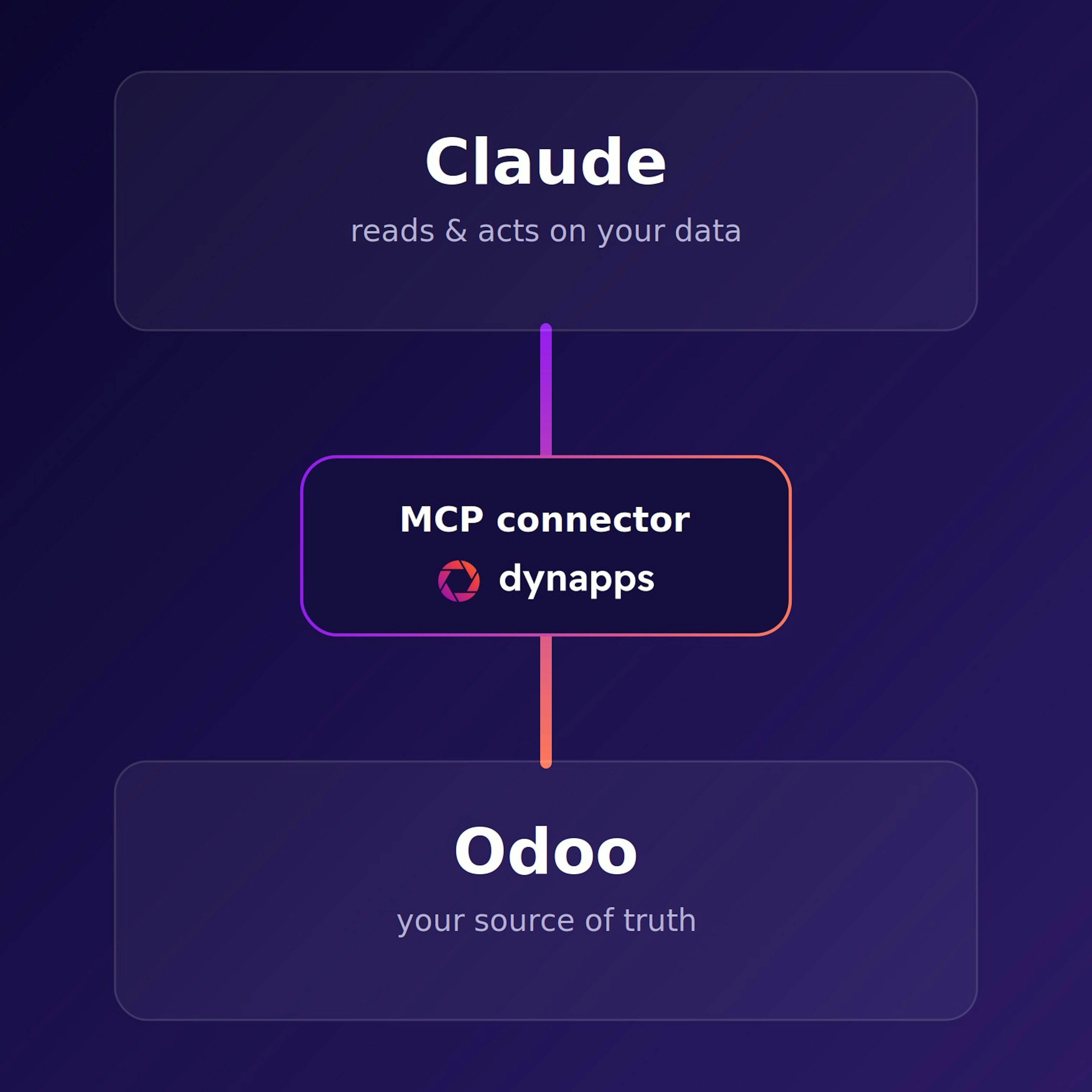
That is the layer we build on top of Odoo. We connect Claude, the AI assistant from Anthropic, directly to your Odoo through our MCP connector. Claude reads and edits your real data in CRM, sales, inventory, and accounting, and works just as well with your emails, Excel files, PDFs, and Word documents.
One instruction can run across several systems and several steps, with your team steering, validating, and deciding.
We build this layer around Claude, but the connector is not limited to it. If your team already works with a model like Gemini, we can connect that to your Odoo instead.

The AI sits right where we already work. Drafting a reply, summarising a record, finding the right view in plain language. It saves a few minutes on every task, and across a day that adds up.

William Olhasque
AI agentic expertOdoo AI, explained.
Can’t find the answer you’re looking for? Reach out to us.
An assistant in the Odoo AI app with instructions, skills, sources and, optionally, a schedule. It answers questions, creates and updates records, and asks for your approval before it changes anything.
We recommend Odoo 20. Its agents create and update records after your approval. To create and customise agents, you need the AI app, and all AI features run on IAP credits that you buy separately.
In Odoo 20, agents create and update records on request, but by default every change appears as a confirmation card first. An agent never gets more rights than the user who asks.
OpenAI's ChatGPT and Google's Gemini. In Odoo 20 you choose the provider and Odoo picks the model for the task. Your own API key is no longer an option: AI runs on IAP credits that you buy separately.
Not as a built-in provider. To put Claude to work on your Odoo data, we connect Claude through our MCP connector, so it reasons across Odoo and your other tools at once.
Data only leaves Odoo when you run an AI action. It then goes through Odoo's AI service to the provider you selected (ChatGPT or Gemini). You stay in control: you decide in advance which data AI may use, and we help you set up that framework.
AI features in Odoo 20 run on IAP credits that you buy separately. A scheduled agent uses credits every time it runs. In a demo, we walk you through what that means for your situation.
Get started.
See what Odoo could like for your business?
Related
More on Dynapps, Odoo and AI.
The Dynapps AI starter pack
Odoo at Dynapps
What's new in Odoo 20