Odoo 19.4: What's new? Key features and essential takeaways
Odoo 19.4 (July 2026) is a quarterly update: connection to AI agents via MCP, voice interaction, editable margins, two-tier duplicate detection, stock aging report, and continuous production.

The essentials
Odoo 19.4 is a quarterly update released in July 2026, not an overhaul: it builds on Odoo 19.0 with dozens of workflow improvements.
The headline change for companies: Odoo now connects to external AI agents via MCP (Model Context Protocol) using a secure key, and it brings voice interaction to AI agents.
On the operations side: editable margins on quotations, two-tier duplicate detection in accounting, a stock aging report, and continuous production in manufacturing.
The real question isn't any single feature, it's integration and a well-scoped upgrade.
The new release adds concrete features to Odoo 19.0 along two clear lines that matter: opening up to AI agents via MCP, and streamlining day to day tasks across sales, accounting, supply chain, and HR. Here's what's changing, and what to look at before you plan the upgrade.
What exactly is Odoo 19.4?
Odoo 19.4 is an interim release within the Odoo 19 line: 19.0 lays the foundation (new industry packs, redesigned interface, the arrival of AI agents), and the 19.x releases that follow refine and round it out. 19.4 fits that pattern, a large set of targeted improvements spread across every app, several of which have been available since 19.0 but are consolidated here.
For a business, the distinction matters: moving from 19.0 to 19.4 is a maintenance update within the same major version, with a more contained impact than a cross-major migration. Existing custom developments and integrations remain the variable to test first.
What are the AI new features in Odoo 19.4?
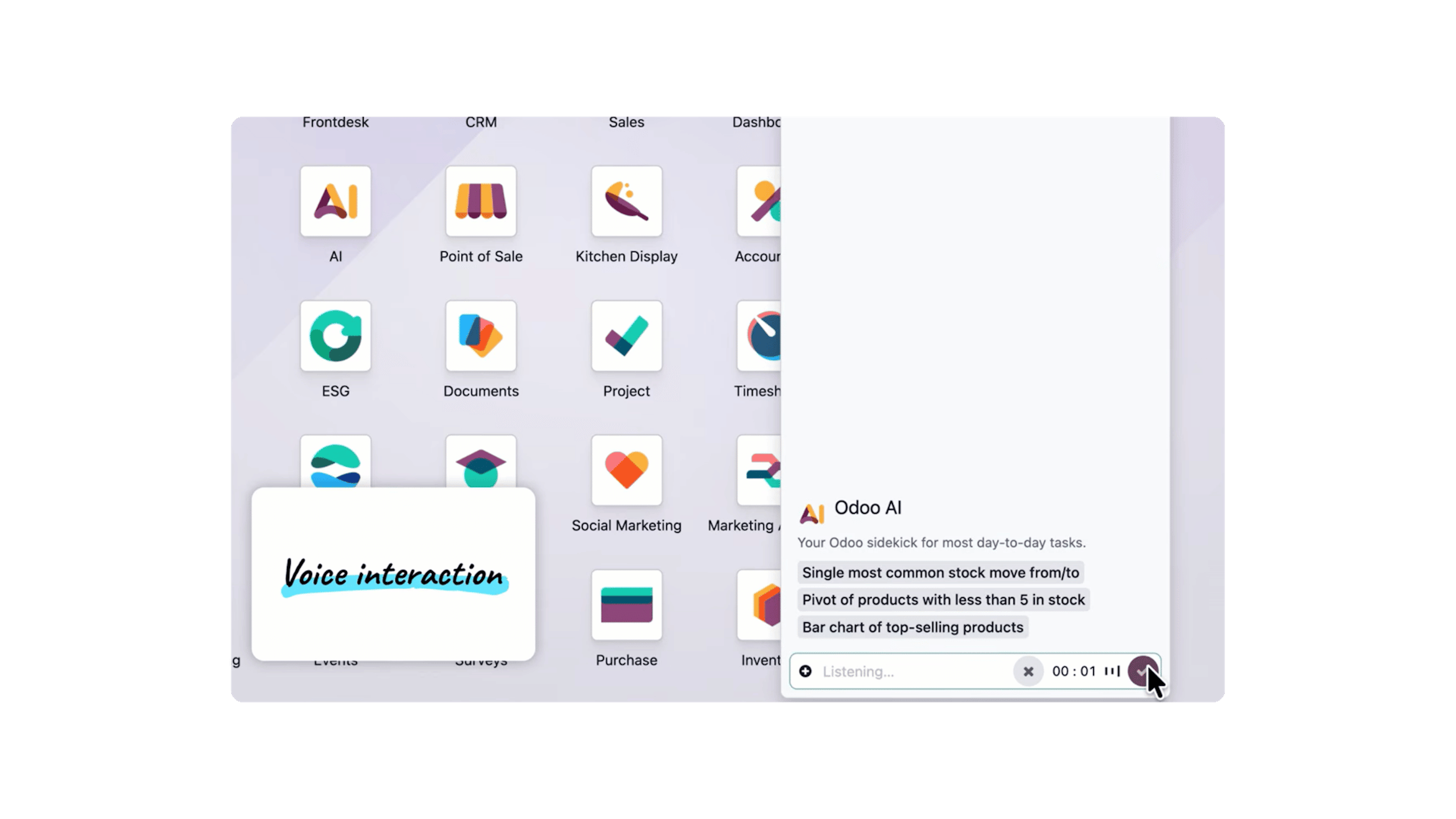
Odoo 19.4 strengthens AI agents on three fronts: voice dictation, richer context, and conversation persistence. The concrete additions:
Voice interaction: dictate a request directly to an AI agent. The user clicks the microphone, Odoo transcribes the request, and the instruction is carried out.
Preview cards in live chat: when an agent references a supported Odoo record, the conversation shows a clickable card instead of a plain name.
Stored conversations: exchanges with agents are kept for up to 30 days after the last message.
"Topics" renamed "skills": the sets of instructions and tools that shape an agent's behavior are now called skills.
Automatic model selection: you choose an AI provider, and Odoo picks the model best suited to the task.
The point to watch here is governance: which AI providers to allow, what data to expose to agents, and folding the 30-day conversation retention into your own retention policy.
MCP: how do you connect Odoo 19.4 to external AI agents?
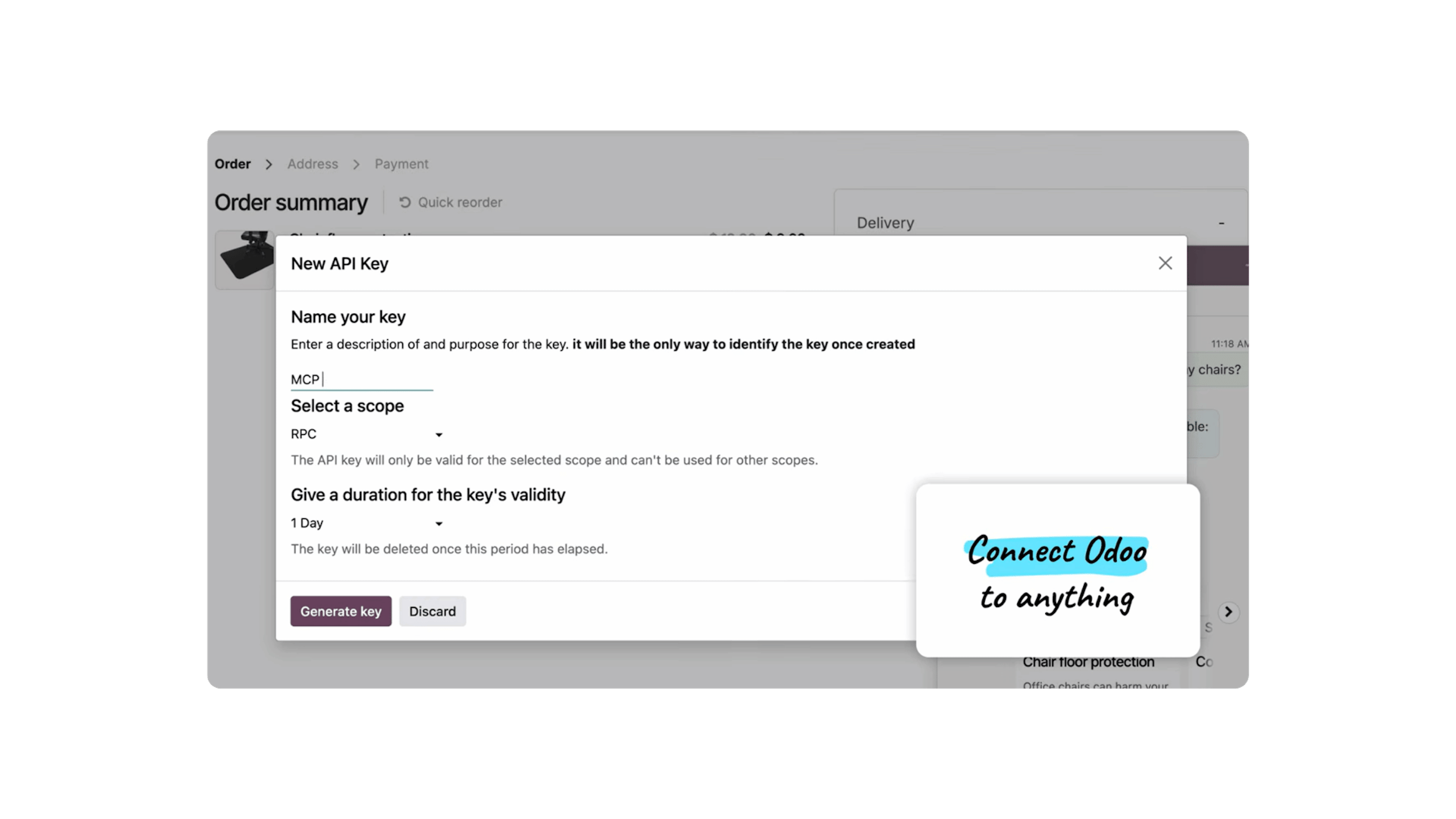
Odoo 19.4 lets you connect the database to external AI tools via MCP (Model Context Protocol). In practice, you create an MCP key in Odoo, then give AI tools secure access to Odoo data and workflows.
This is the most significant change on the architecture side. MCP is a standard protocol that exposes a system's data and actions to third-party AI agents in a normalized way. In other words, Odoo can become both a source of context and an executor for external agents, without building a custom API for every tool.
What to lock down before enabling MCP:
Access scope: an MCP key opens access to data and workflows, define which models and which actions are actually exposed.
Key management: treat MCP keys as secrets (rotation, revocation, traceability), on par with API tokens.
Business use: identify concrete use cases (internal assistant, orchestration across tools) before opening up access broadly.
Sales, accounting, invoicing: what's changing?
Odoo 19.4 delivers refinements that directly benefit sales and finance teams, with a common thread: fewer manual steps, more control. The main changes:
Sales
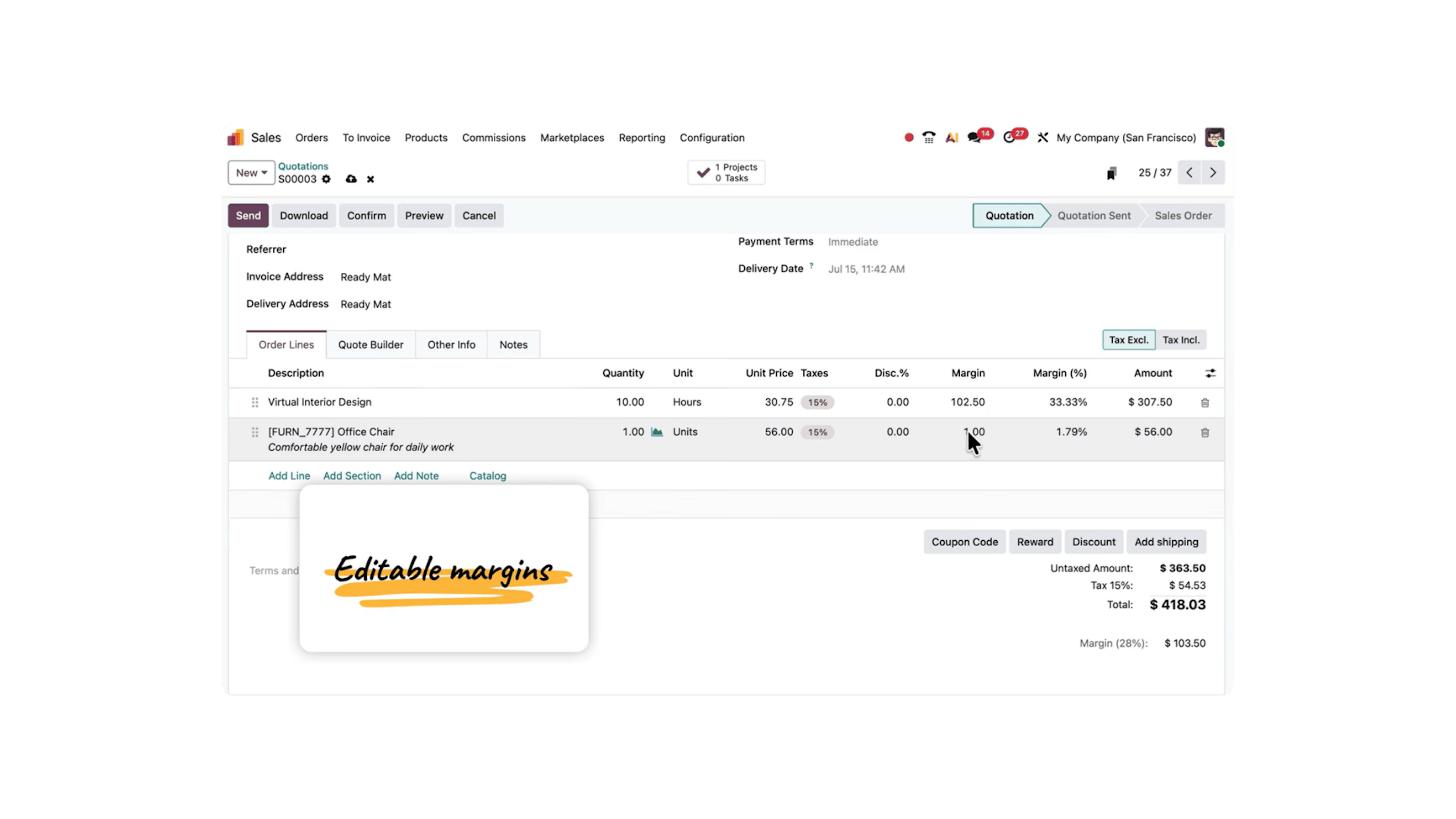
Editable margins: editing the margin or margin percentage on a quotation line automatically recalculates the sales price.
Commissions: roll a salesperson's targets and results into another person's commission plan (manager commissions, shared commissions); calculate commissions on the amount paid, not just on confirmed sales.
Quotation templates: create a quotation from a template, or save an existing quotation as a template via the "Save as Template" action.
Lines without a product: an order line can be based on a simple description; a "Product required" setting can enforce product selection.
Accounting and invoicing
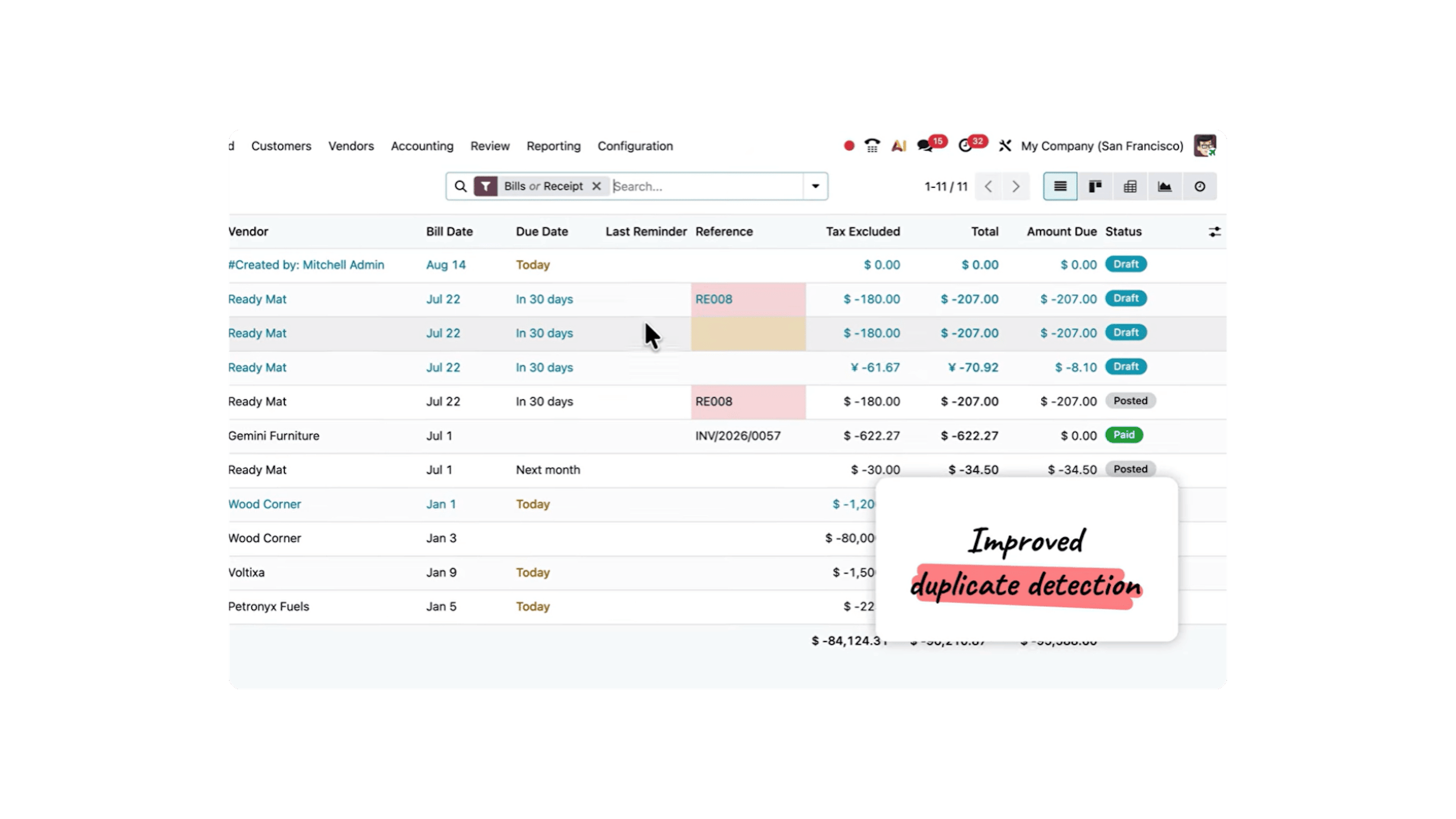
Two-tier duplicate detection: red when the invoice is very likely a duplicate, yellow when a quick check is enough. Once posted, only the red warning remains, so you can keep catching duplicates.
Splitting entries: a smart button opens an invoice's journal entries to split a line, create assets from a bulk purchase, or distribute an amount across several accounts.
On-demand bank reconciliation: manually re-run automatic reconciliation over a chosen date range.
Invoice line prediction: when encoding a vendor bill, Odoo pre-fills product, account, tax, analytic distribution, and vehicle based on history.
Bulk attachments: download all attachments from a batch of invoices in a single ZIP archive.
Tax-included / tax-excluded: instantly switch the display on quotations, purchase orders, and invoices.
Supply chain: what's new in inventory and manufacturing?
Odoo 19.4 improves stock visibility and smooths the shop floor. The supply chain highlights:
Allocation report: see which orders are waiting on inbound stock, and reserve stock for the priority order in one click.
Stock aging report: how long products have been sitting in stock, broken down by category, product, and month, so you can spot dormant stock before it becomes a problem.
CMR document: generate a pre-filled CMR consignment note for international deliveries, using the information already available on the transfer.
Barcode instruction preview: preview the exact scan sequence the operator will follow based on the operation type configuration.
Vendor reference on receipt: the vendor's purchase reference now appears on receipts, so you can identify the origin without going back to the purchase order.
Continuous production: record produced quantities at the work order level; the next operation starts as soon as quantities are ready, without waiting for the full manufacturing order to finish.
Bill of materials comparison: compare two bills of materials to analyze components and manage replacements; the BoM overview shows available quantities for subcontracted components.
Website, e-commerce, and SEO: what 19.4 brings
Odoo 19.4 enriches out-of-the-box SEO and adds controls on forms. Key points:
Structured data by default: pages embed structured data in their HTML to help search engines understand products, events, and courses, and to generate Google Rich Results, also useful for being cited by generative engines.
Google Analytics / Google Tag Manager: configured from a single ID in the website settings.
Whatsapp widget: lets a visitor start a WhatsApp conversation in one click.
Web forms: restrict uploaded file types, cap text field length, filter email domains, and insert content blocks (sections, headings, images) directly into the form.
E-commerce: returns handled from the customer portal (product selection, return label) and a new "Pay on Invoice" payment provider to confirm an order without immediate payment.
HR, payroll, documents, and sign: what's evolved
Odoo 19.4 brings payroll closer to expenses and smooths document workflows. What's new:
Expenses in payroll: link a salary rule to an expense category; the reimbursement automatically feeds into payroll as an input on the employee's payslip.
Reusable salary rules: the same rule can be used across multiple salary structures, with no duplication.
Employee type by company or branch: restrict an employee type to one entity, to manage distinct payroll configurations.
Multi-file document requests: a single request can collect several files, each upload creating a separate document.
Sign: requests with more than three signatories show the full list and each person's status in a dropdown; any signed document can be saved as a template or forwarded to another contact.
Should you move to Odoo 19.4? Dynapps' advice
For most organizations, the real question isn't 19.4, it's Odoo 20. One factor is decisive: 19.4 is a minor version, available only to customers hosted on SaaS (Odoo Online). Databases hosted on Odoo.sh or on-premise are not eligible.
So 19.4 is best read as the last step before Odoo 20.0, the next major version most existing customers will be able to migrate to. The features described in this article, in fact, foreshadow part of what Odoo 20 will carry.
Dynapps' recommendation on upgrade cadence:
Move up by two versions at a time, three at most, to stay within a comfortable compatibility and support window.
Plan ahead when a version brings features that are significant for your business, opening up to AI agents via MCP is a good example, to be assessed against your own use cases.
The features presented here give a preview of what Odoo 20 has in store. We'd be glad to talk with you during H2 2026 to think through your upgrade together.
Odoo 19.4: the key takeaways
Ultimately, Odoo 19.4 isn't an overhaul but a quarterly release in the Odoo 19 line, out in July 2026: it builds on the foundation laid by 19.0 with targeted improvements, without changing the fundamentals.
Unlike a major version, this maintenance update remains a minor version, reserved for customers hosted on SaaS (Odoo Online), databases on Odoo.sh or on-premise are not eligible.
That said, it brings some high-impact additions, starting with MCP (Model Context Protocol), which opens the Odoo database to external AI agents via a secure key, along with the transcription of voice commands addressed directly to an agent.
To approach this upgrade with confidence, the process stays the same: test custom developments and integrations in a staging environment, check custom reports, then plan the switchover, all steps an Odoo integrator can scope and execute alongside you.
Discuss your Odoo project with us
Interested in Odoo and its new features? Talk with a Dynapps Odoo consultant: we audit your custom developments and plan a tested upgrade before switchover.